

 Promotions
 Loyalty Program
 VIP Program
 Tournaments
 Payment Methods
 Providers
 Zoome Casino
 All Games
 Pokies
 Bonus Wagering
 Download App
 Jackpot Games
 Buy Bonus
 Hot
Hot New
New Live
Live Crash Games
 Install app and play more








 Contact support
 Find games, providers, etc.
Zoome Casino App Download for iOS and Android
Zoome Casino offers an excellent user experience when playing on a laptop or PC. However, our software also looks spectacular and runs smoothly on Zoome online casino iOS and Android mobile devices.
How to Play Zoome Casino from a Mobile Device
To play our casino games on your table or phone, you have two options. The first option is to visit our website through your preferred browser. You will be automatically redirected to the Zoome Casino mobile version. This allows you to load games and play them without any additional preparation.
The second option you’ve is to download our free mobile casino app. In order to do so, visit our website with your phone and go to the navigation bar on the left.
There are two available applications – one for Zoome casino iOS and another for Android. This process bypasses the app store, and it works as follows.
Zoome Casino App Android Instructions
- You should open Chrome using your smartphone.
- Then, it’s necessary to visit our platform URL.
- A prompt will appear – “Add to Home Screen.”
- If there is no prompt, click the vertical three dots at the top of the screen. Look for the “Install” or “Add” option.
- Finally, you should click the option to add the Zoome Casino app to your home screen.
Zoome Download Instructions for iPhones
- You need to open the Safari browser using your phone.
- Then, it’s time to visit our platform URL.
- You also have to click the “Share” icon (square box with an up arrow).
- Then, it’s essential to select the “Add to Home Screen” option.
- The Zoome Casino mobile app will show up on your home screen.
You should note that the mobile app requires the Safari browser. Apple only allows mobile push notifications for browser applications when installed through Safari.
How to Use Zoome App
The Zoome app offers multiple benefits, which makes it worth downloading. You can access almost everything in a matter of seconds. Also, if you wish to be updated about our latest bonuses and promos, you can open your casino slots app and tick the notification bar.
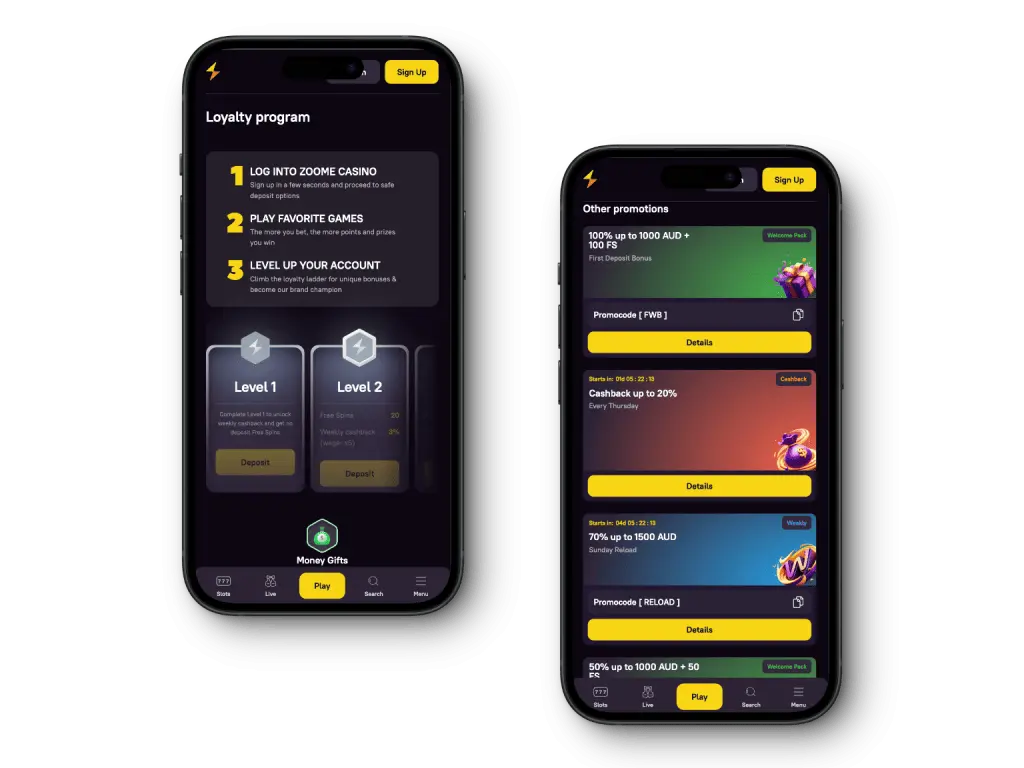
To reach the gaming suite, you should launch the app. The button that allows you to register is marked in yellow. If you have already set up an account from your desktop, you don’t need to sign up again to play using your phone.
The instant-play ability of our platform runs like a charm on mobile devices; however, you should ensure that the internet connection is strong enough.
You will be pleased that we offer the same varied selection of games that includes pokies, live dealer options, and table games at Zoome casino app download. Accessing these games is easy as we have grouped them into categories on the Zoome mobile app.
Handling your bankroll is also possible on the mobile version or app. You can use whichever banking option you prefer to fund your account on the go. Don’t worry about your financial data; we use the latest SSL encryption technology.
What’s more, we allow non-English speaking customers to change their language to one of the following: German, Finnish, and Norwegian.
App Interface
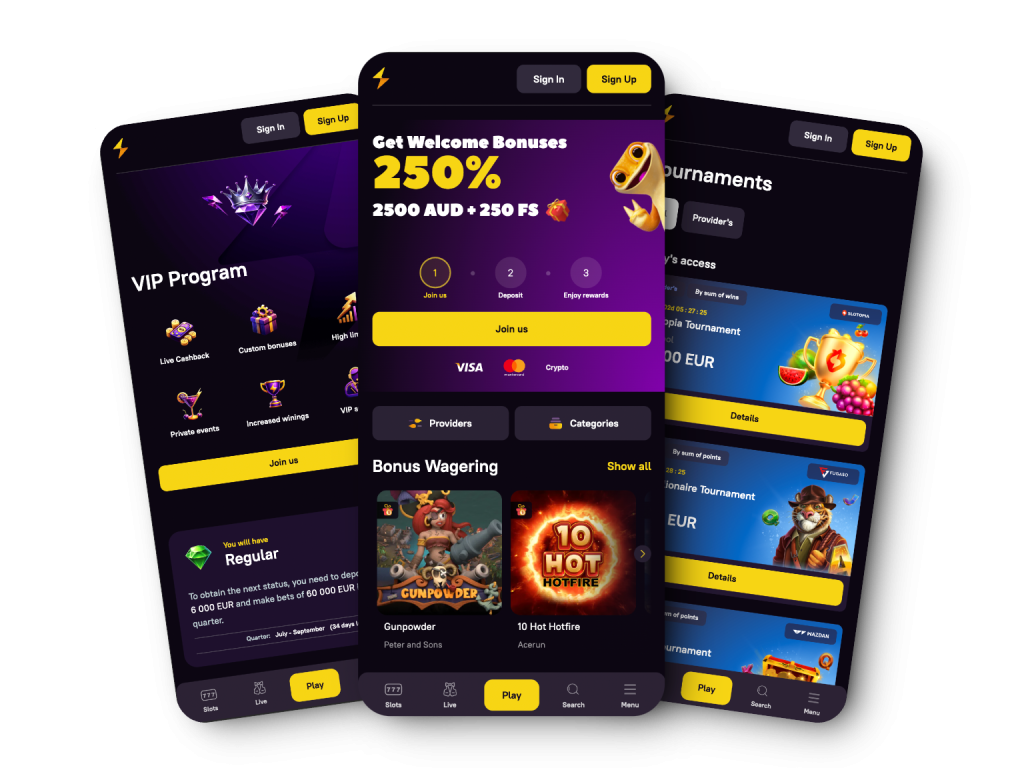
The Zoome Casino app has a simple but well-thought-out design. You will be greeted by a groovy purple theme with a fascinating gecko. Our generous Zoome casino download welcome bonus will also draw your attention.
In the left navigation bar, you’ll find links to the most essential pages on our platform. We are talking about the following:
- Loyalty Program
- Promotions
- Payment Methods
- Loyalty Program
- VIP Program
- Tournaments
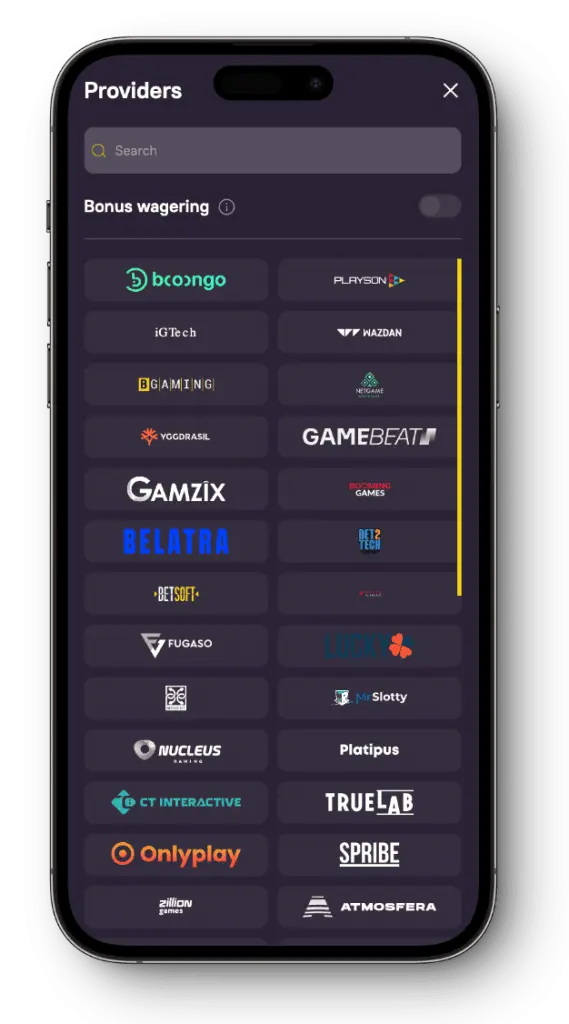
- Providers
- Games and more.
In the centre of the screen, you will still find games sorted into handy categories such as Jackpots, Live, Hot, New, Pokies, etc.
Yet, if more information about our platform is what you are looking for, then go to the footer section. There, you can find links to everything from the Privacy Policy and Terms & Conditions to Responsible Gaming and FAQs.
Zoome App Registration and Deposit
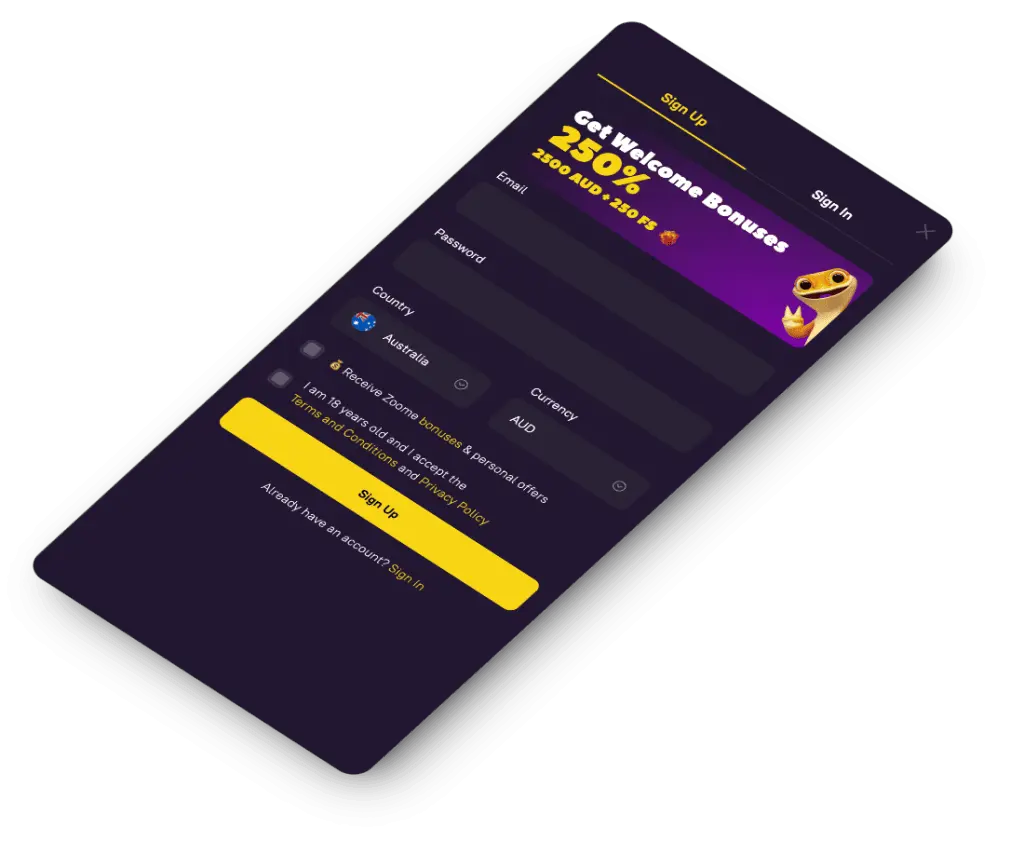
Through registration, Aussies can enjoy our app to the fullest. Follow these four steps to set up your mobile playing account.
- Launch your already downloaded Zoome Casino mobile app.
- Click the “Sign Up” button.
- Complete the relevant fields (email, password, currency, and country).
- Accept the T&Cs and confirm you are 18+ years old.
- Submit the details.
You will see a confirmation email after a few seconds. Follow the link in that message to verify your account.
Actually, you need to top up your account with one of the financial solutions available for Australians. Currently, we support the following options in the Zoome mobile app:
- VISA
- Mastercard
- Giropay (MiFinity)
- Bank Transfer
- Neosurf
- Bitcoin
- CashtoCode
- Bitcoin Cash
- Ethereum
- Litecoin
- Tether
- Dogecoin
Deposit via the Zoome Casino app is as quick and easy as shelling peas.
- You need to log in and click the “Deposit” button.
- Then, it’s time to select a deposit method.
- Also, players have to fill in the necessary details. For example, when using VISA, we will need information like the card number, CVV, expiry date, etc.
- Then, you are to enter the desired amount.
- All that remains is to confirm the transaction. Deposits are instant.
How to Get a Zoome Casino Welcome Bonus
When you open an account using your Zoome mobile app, we will greet you with a Zoome casino sign up bonus package worth AUD 6,000 + 250 free spins. This package is spread over your first three deposits:
- On the first deposit – 100% up to AUD 1,000 + 100 free spins (code “FWB”)
- On the second deposit – 100% up to AUD 500 + 50 free spins (code “SWB”)
- On the third deposit – 50% up to AUD 1,000 + 100 free spins (code “TWB”)
Let us see the process of getting these bonuses transferred to your bank account.
- Top up your balance with AUD 20+.
- Wager the deposit bonuses 40 times.
- Pay attention to the bonus validity, with a duration of 30 days.
- The free spins come in batches of 25 over several days in a row.
- The maximum bet is AUD 5 when wagering.
The process is just as effortless if you prefer to get the high roller bonus. Simply pick it up instead of the standard Zoome casino sign up bonus. However, the minimum deposit amount you can make is AUD 450 this time. Then, you get a 125% match bonus of up to AUD 1,500. The wagering requirement is still 40x.
Security, Fairness, and Responsible Gambling
Our platform is trustworthy and reputable, as we have a Curaçao Gaming Control Board license. We go to great lengths to protect our players and ensure a safe gaming environment.
This starts by requiring everyone who Zoome casino games download to register and undergo KYC verification. This is meant to prevent identity fraud. Next, we use the latest encryption technology (SSL) to secure all data transfers between you and our platform.
In addition, we have extensive data protection policies. Visit the privacy protection section to read all the details. But be assured that we will not collect personal information without your consent and do not sell data to 3rd parties.
You can also secure your account via 2-factor authentication. To enable this feature, go to your profile and make the necessary changes on the security tab.
Our dedication to player protection extends to responsible gambling policies. We clearly define these policies on a dedicated, responsible gambling page. Our members can set limits on their play, which is usually enough to control most gambling habits.
Zoome Casino App Benefits and Considerations
You should weigh the pros and cons before installing any software found on the web.
| Pros | Cons |
| Supports both Android and iOS mobile devices | Limited worldwide availability |
| Perfect mobile responsiveness | |
| Absolutely impeccable interface | |
| Over 6,000 mobile-friendly games | |
| 3-part welcome bonus | |
| Special loyalty and VIP program | |
| Numerous mobile-friendly payment methods |